What you can try
Start with the question you would ask on a Monday.
Grouped by the question each one answers, the same way the product page is. Every one of these is on the demo’s own menus, reached the way a customer would reach it.
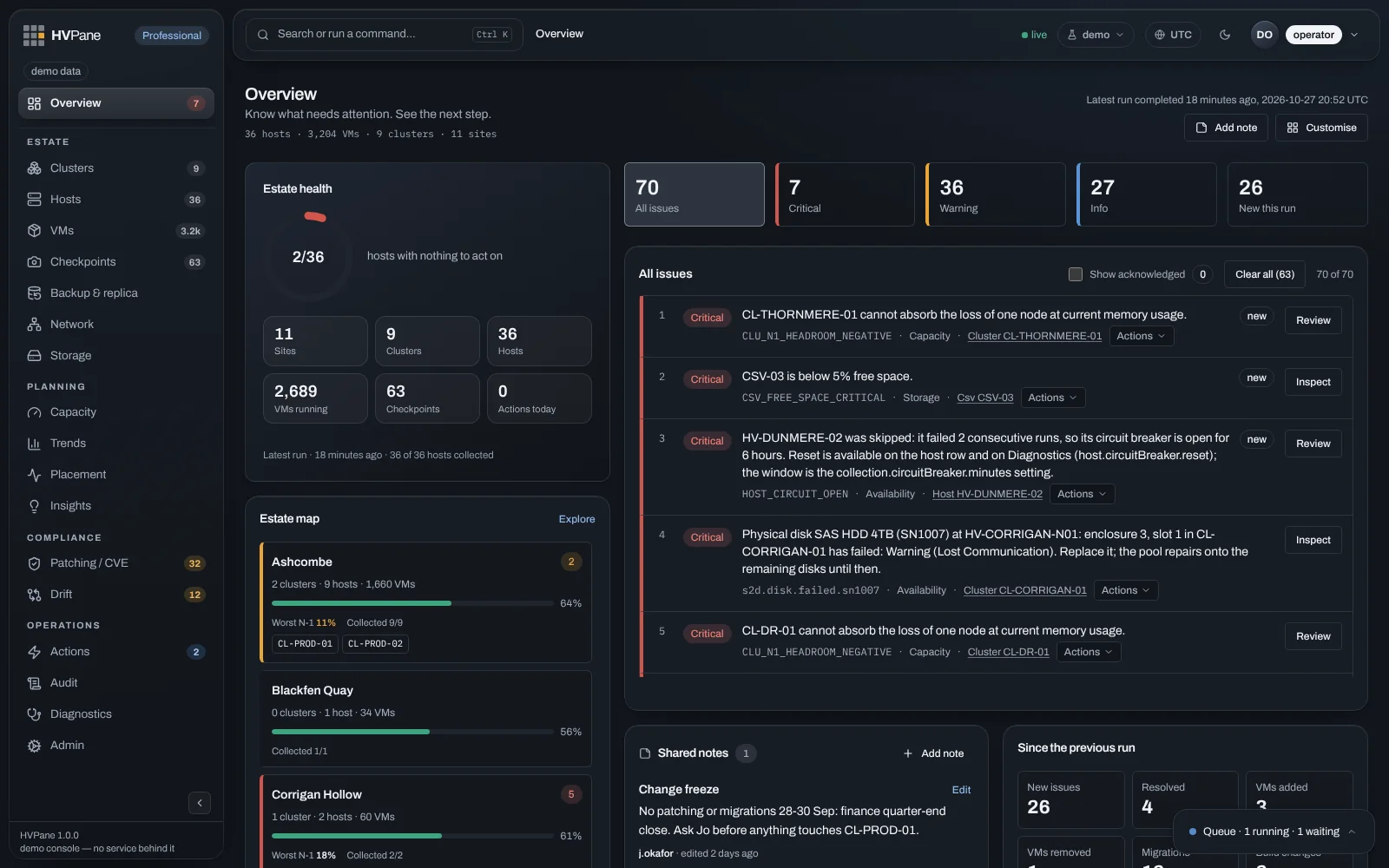
What needs you now
Where the demo opens, and where to start.
Every issue across the estate, ranked, each with its next step. Look for the machine sharing a node with its anti‑affinity partner.
New and resolved issues, machines added and removed, migrations, hosts rebuilt.
What could not be read this run, and why — stated, not quietly left out of the totals.
Will it hold
Somewhere in the demo is a cluster that would not survive losing a node. Find it.
Not what is used — what still fits when you lose a node, for every cluster.
Days until a cluster crosses 90% memory or a volume fills. The demo comes with synthetic history; trends are built from history, and a new installation starts empty and fills in over its first days.
Anti‑affinity, preferred owners, and clusters out of balance.
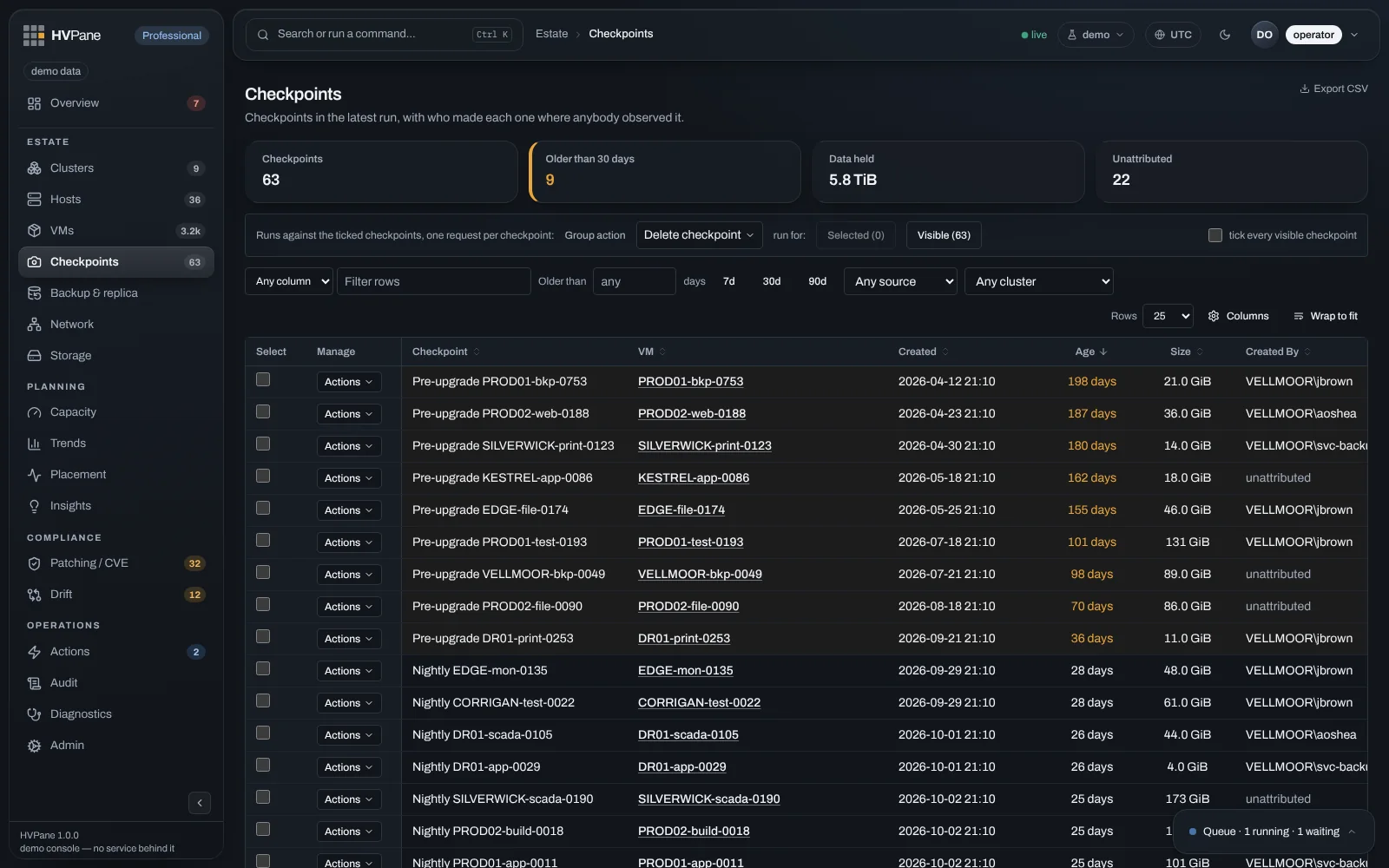
The things that rot quietly
Nothing alerts on these. In the demo, as in life, they are already there.
Age, data held, and who created each one — or unattributed, where nobody can prove it.
The node‑by‑node matrix per cluster, and the host set up differently.
Volumes, ownership, and the differencing disks hanging off forgotten machines.
Then act on it
The actions run against the demo estate, and the page updates when they finish.
Start, stop, migrate, drain a node, patch a node or a cluster — from the row where you found the problem.
Set a disruptive action to run at a time of your choosing and watch it wait in the queue.
Who ran what, where, and why — including everything you just did.
Who may do what
Two demo controls that show what the real product enforces.
Sign in as operator, support, OT, security or a site‑scoped role, and see the menus, actions and downloads change with it.
Switch between Community, Standard, Professional and Enterprise to see what each one unlocks. Community is read‑only. Free to read every host you own.